
Spam and scam call defense
Who Called Me? Check, Block and Report Unknown Callers
An unknown number called, texted, or left a missed call, and you want to know whether it is safe. CallerCheck is an independent guide that helps you decide if a caller is likely spam or a scam, choose whether to answer or call back, block the number on your own phone, and report it to the right place. Start with the situation that matches yours.
What happened?
Pick the line closest to your situation.
- I gave a scam caller my information See the damage-control steps →
- I got a missed call with no voicemail Decide whether to call back →
- An unknown number called and I want to know who it was Who called me? →
- “My bank” called about fraud on my card “Your bank” fraud calls →
- I got a text with a link and I’m not sure it’s real Is this text a scam? →
- People say my number is calling them, but it isn’t me My number is being spoofed →
- I want to block one number right now Block a number →
- I want to report a spam or scam call Report a spam call →
- I want fewer spam calls from now on Open the protection checklist →
Act now Check before you act Calm, practical steps
CallerCheck is a guide, not a lookup service: we don't reveal who owns a number, and we never help track or find a person.
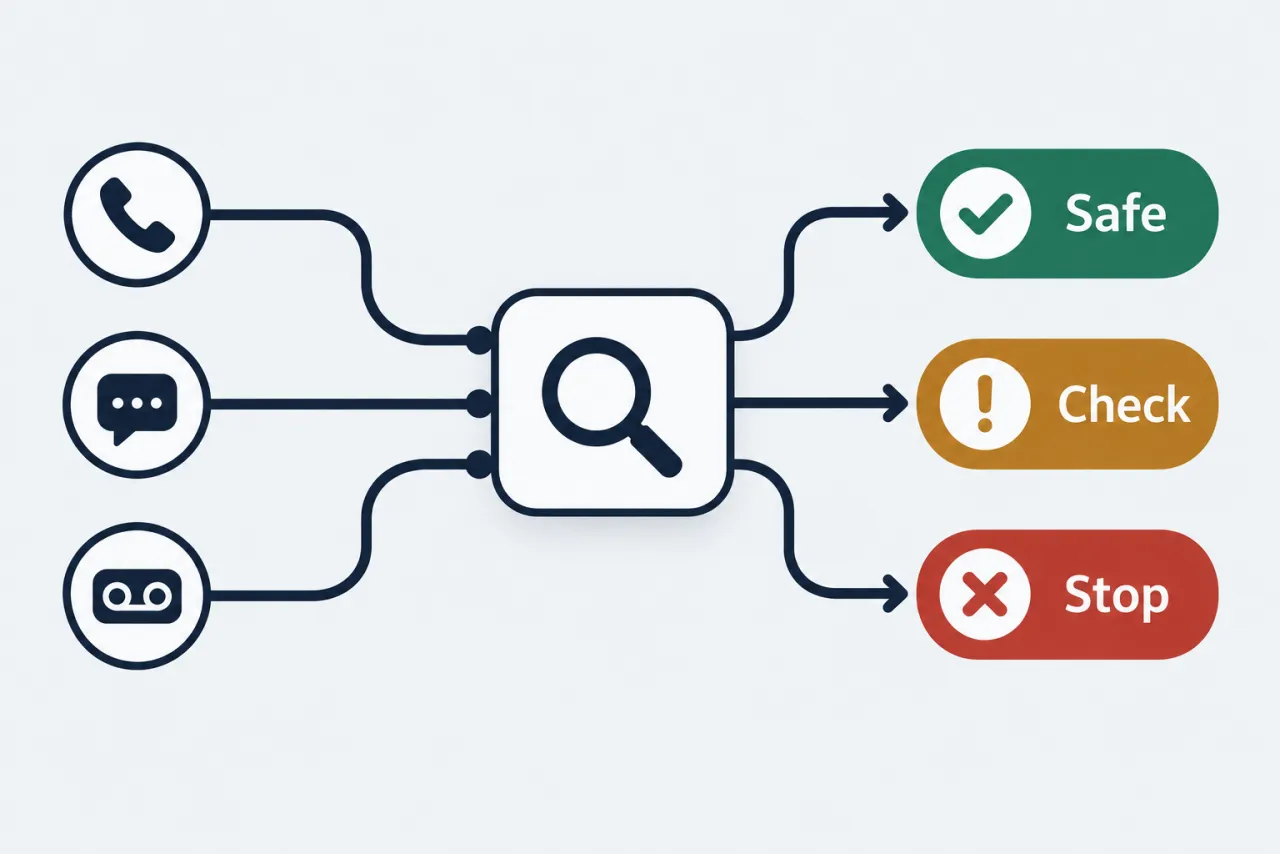
How to decide about an unknown caller
The order matters more than speed; each step is something you can do yourself, without sharing any details with the caller.
-
Don't assume the caller ID is real
Caller ID can be faked to show any name or number, even a business you know or your own number, so treat what you see as a clue, not proof of who is calling.
-
Check the number before you engage
A reverse check may surface a business listing or spam reports, but it will not reveal a private person's name or address, so weigh it as one signal alongside the number itself.
-
Verify claims on your own terms
If a caller says they are your bank or a government agency, hang up and call the official number from your card or the organization's website, never a number the caller gives you.
-
Block and report what you don't want
Block the number on your phone, add your carrier's spam filter, and report the call to the FTC, which shares report data with phone companies and law enforcement to spot patterns, even though it won't stop that specific caller right away.
Pick the route that matches your situation
Six groups of guides, each focused on one kind of unwanted-call problem.
01Identify an unknown caller
Someone you don't recognize called. Learn what a reverse check can and cannot tell you, how to read the number, and how to decide whether it is safe to answer or return.
02Types of spam and scam calls
Recognize the common scripts, from fake tax or bank calls to tech-support and robocall pitches, so you can tell a scam from a real caller before it costs you anything.
03Block unwanted calls
Step-by-step ways to block a number and cut down spam using the settings already built into your iPhone or Android and the filters your carrier offers.
04Report and register
Where to report a spam or scam call to the FTC, the FCC, and your carrier, plus how the National Do Not Call Registry works and what it realistically does.
05Spoofing and protecting your number
Understand why caller ID cannot be trusted, what to do when your own number is being spoofed, and how to reduce where your number is exposed.
06Spam text messages
Spot a scam text and avoid tapping links or replying, then block the sender, forward the message to 7726 (SPAM) for your carrier, and report it to the FTC at ReportFraud.ftc.gov.
Our boundaries
We help you defend against unwanted calls, nothing more
CallerCheck is an independent guide and is not affiliated with any carrier, phone maker, app, or the FTC or FCC. We do not run a lookup database and we do not sell one. We will not help you find, track, or identify a private person from their number, obtain someone's home address or whereabouts, monitor another person, or 'find out who owns any cell number', because that data is not publicly lookupable and using a number that way is not what caller defense is for. What we do is help you judge whether a caller is spam or a scam, block it, and report it.
Questions about CallerCheck
Can CallerCheck tell me who owns a number, or help me find or track someone?
No. We are a guide, not a lookup or tracking service. A private person's name, address or location is not publicly lookupable, and using a number that way is not caller defense. A reverse check can at most surface a business listing or spam reports.
Do your guides cover spam texts too?
Yes. Don't tap links or reply; forward the text to 7726 (SPAM) and report it to the FTC. The text-message guides walk through iPhone and Android.
What is the difference between blocking and reporting?
Blocking stops one number reaching your phone now; reporting to your carrier and the FTC feeds labeling and enforcement over time. Most unwanted calls need both.
I'm not sure which guide fits my situation. Where should I start?
If you only have a number and no message, start with checking who called. If money or personal details were already shared, go straight to the damage-control steps. If the calls keep coming, go to blocking and then reporting.
A caller threatened me or I feel unsafe. Is that something CallerCheck covers?
Only blocking and reporting; for threats, contact your local police, keep the voicemail as a record, and see our responsible-use page.
Start with what happened to you
Most decisions start with checking the number and whether the caller left a message, and end with blocking and reporting what you don't want. Pick your situation and follow the steps in order.
What happened?