
Step-by-step guide
Protect Yourself From Phone Scams: A Checklist
Short answer
No single setting stops phone scams. What works is a stack: your phone screens unknown callers, your carrier labels likely scams, and a few habits make a call that slips past both far less likely to cost you. This checklist puts them in order and says honestly what each one covers.
Start the checklistEverything here happens in your own phone and your own accounts; we never ask for your number.
- Defense habits only
- This page helps you screen, block and report calls you receive, not look anyone up.
- Official sources
- Built on FTC, FCC, Apple and Google guidance, reviewed September 2026.
- Honest about limits
- Each step reduces risk; none of them removes spam calls entirely.
Four layers of defense, and what each one really stops
Each layer catches something the others miss, so they work best stacked together.
Layer 1: Your phone screens unknown callers
iPhone can silence or screen callers who aren't in your contacts, and the Phone by Google app can filter suspected spam, so fewer unwanted calls ring through; what gets filtered differs between iPhone and Android.
- Protects against: robocalls and cold scam calls ringing through.
- Trade-off: a real unknown caller, like a clinic, lands in voicemail.
- Menu names vary by OS version and phone maker.
Layer 2: Your carrier labels likely scams
Major US carriers offer free spam tools, such as T-Mobile Scam Shield, Verizon Call Filter and AT&T ActiveArmor, that flag or divert high-risk calls.
- Protects against: known scam campaigns flagged across the network.
- Limit: labels can miss new numbers and sometimes mislabel real calls.
- Features and eligibility vary by plan; confirm with your carrier.
Layer 3: The Do Not Call Registry cuts legal sales calls
Registering at DoNotCall.gov is free and never expires; the FTC says sales calls can take up to 31 days to stop.
- Protects against: legitimate telemarketers who follow the law.
- Does not stop: scammers, political, charity, survey or debt calls.
- A registered number that still gets scam calls is normal, not a failure.
Layer 4: Your habits catch what gets through
Caller ID can be faked, so the last layer is your own response when a call gets past the filters.
- Protects against: spoofed calls that pass every filter.
- The four in-the-moment habits below apply to any script.
- Costs nothing and doesn't depend on your phone or carrier.
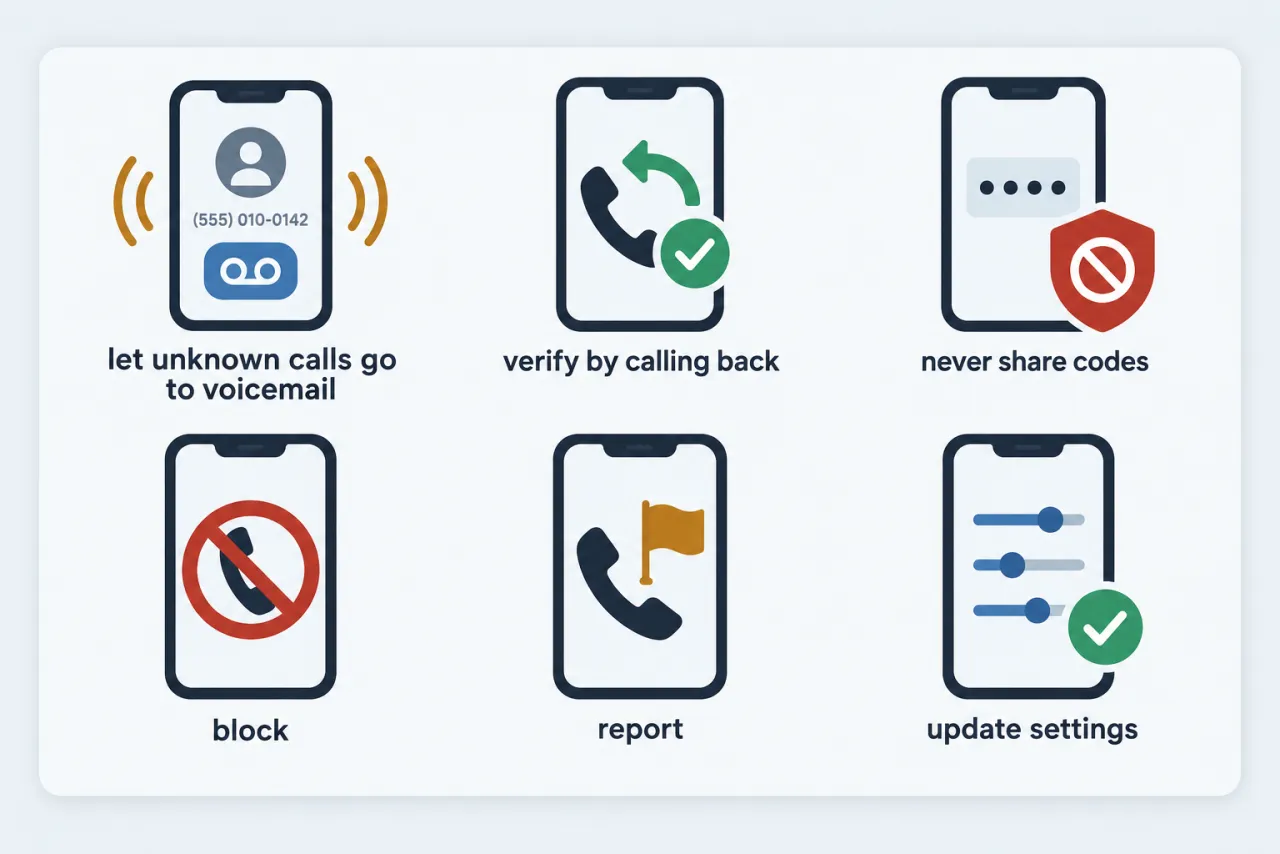
The checklist: set these up before you need them
Six steps in the order that cuts the most calls for the least effort.
Menu paths differ by iOS or Android version, phone maker and carrier; if yours don't match, look in your Phone app's call or spam settings.
-
Screen unknown callers
Turn on Silence or Screen Unknown Callers (iPhone) or Filter spam calls (Android).
-
Turn on your carrier's spam filter
Install or enable your carrier's free spam-call app or setting so likely scams get labeled.
-
Decide now: never engage
Don't press keys, don't speak to recordings, and don't call back one-ring numbers.
-
Save the real numbers
Store your bank's and key services' official numbers from your card or statement for verifying calls.
-
Register with Do Not Call
Add your number free at DoNotCall.gov and confirm the email link within 72 hours.
-
Block and report what slips through
Block the number, then report it to your carrier and the FTC or FCC.
See exactly where to report a scam call →
Four in-the-moment habits that stop losses
When a suspicious call does get through, these moves make it much harder for it to cost you.
-
Hang up, call back
Dialing a number you looked up yourself defeats spoofed caller ID.
-
Never share codes
Keeps one-time codes and account details out of an inbound caller's hands.
-
Refuse odd payments
Any demand for gift cards, wire transfers or crypto marks the call as a scam.
-
Slow down
Pressure to act right now is the scam's main tool; a pause breaks it.
Note: If you already paid or shared personal details, act quickly and follow the recovery guide linked below.
Questions people ask
Is there a setting that stops all scam calls?
No. Phone screening, carrier labels and the Do Not Call Registry each reduce calls, but scammers change and spoof numbers. The realistic goal is fewer calls and far fewer losses, which is why the checklist stacks several layers with a few habits.
How will I know the layers are working?
Expect fewer calls ringing through, more calls labeled as likely spam, and unknown callers landing in voicemail or a filtered list. Some spam will still get through; block and report it. Check voicemail and the filtered list now and then so a real caller isn't left waiting.
I only have five minutes. Which steps matter most?
Turn on unknown-caller screening or spam filtering on your phone and switch on your carrier's free spam filter first; together they cut the most calls. Then save your bank's official number from your card so you can verify any call. Exact menus and features vary by OS version and carrier.
Do I need to pay for a spam-blocking app?
Not for the basics. The major US carriers offer free spam-call tools, and iPhone and Android include built-in screening or filtering. Paid tiers and what they add vary by plan, so check your carrier's official page before paying for anything; we don't endorse any product.
Is this checklist the same on iPhone and Android?
The four layers are the same; only the menu names differ. Your phone's screening setting, your carrier's filter, Do Not Call and the in-the-moment habits apply to any phone, and the iPhone and Android guides show the exact settings.