
Step-by-step guide
Protect Your Phone Number From Spam and Misuse
Short answer
Your phone number travels further than you think: sign-up forms, loyalty programs, public posts, data breaches and people-search sites that compile reports from a single detail. You can't pull it back from everywhere, but a few habits shrink how far it spreads, and your phone and carrier already have free tools for the calls that get through.
See where your number leaksWe never ask for your number, and this guide covers your own number only.
- Owner-side only
- Every step here protects your own number, never looks up anyone else's.
- Independent
- We are not affiliated with any carrier, phone maker, app or data broker.
- Honest limits
- We say where tools fall short: carrier features vary, and no filter catches every spam call.
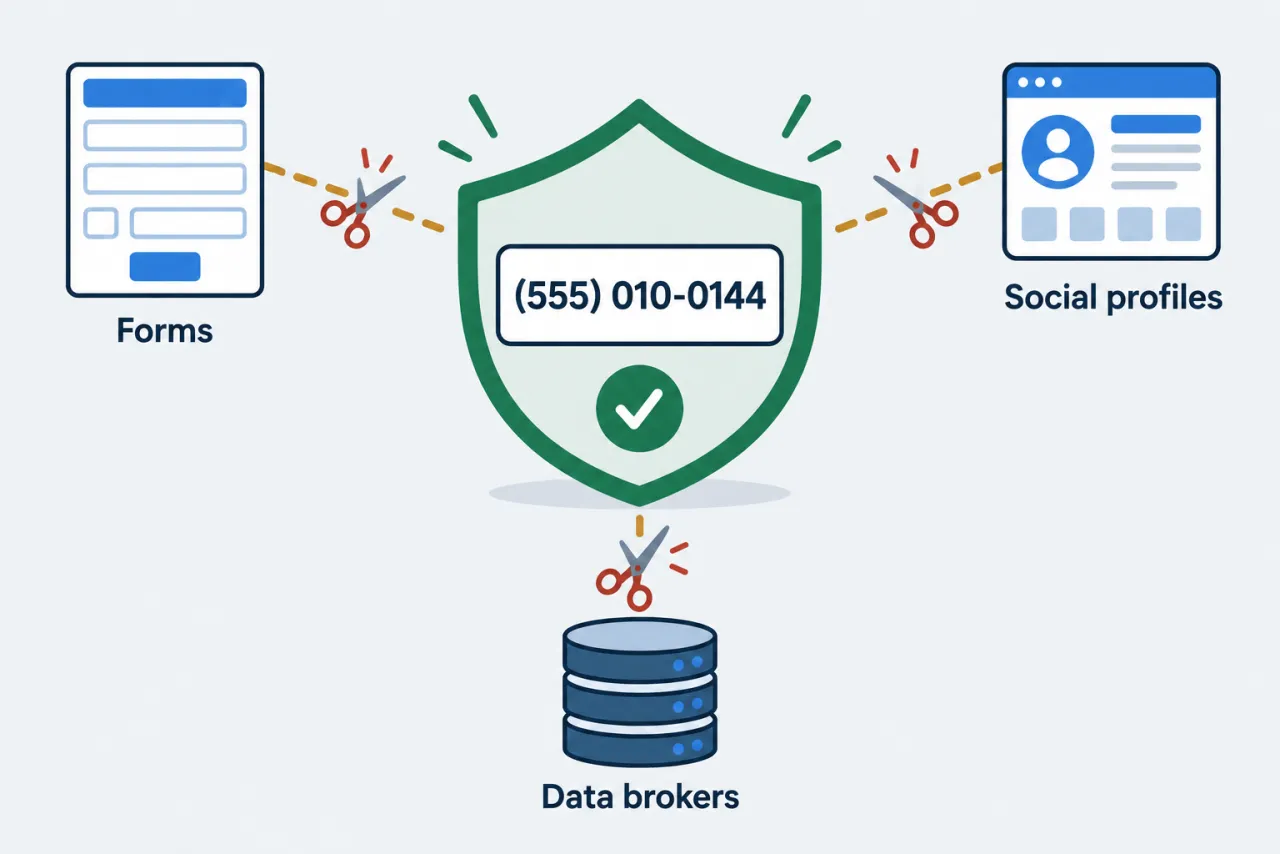
Four places your number leaks, and the habit that helps
Most spam starts with a number that was shared, sold or exposed somewhere along the way.
-
Sign-up forms
Skip optional phone fields, or give a secondary number for contests, coupons and loyalty cards.
-
People-search sites
These sites can build a report from one detail; most let you opt out of yours.
-
Data breaches
A reputable breach-check service can show if your number appeared in known leaks; none lists every breach.
-
Public posts
Remove your number from public profiles, listings and old posts where it isn't needed.
Note: Reducing exposure lowers the odds of new spam; it cannot recall a number that is already on scam lists.
How to handle your own number: share it sparingly
Protecting your number starts with deciding who actually needs it.
- Give your number only where it's needed
- Share your main number with people and services that must reach you; leave optional phone fields blank.
- Don't type your number into "spam check" sites
- Sites that promise to scan your number for risk may collect it and add it to the lists you're trying to avoid.
- Opt-out forms: share the minimum they require
- Give a people-search removal form only the details it needs to find your listing, and opt out your own information only.
- Use a secondary number for sign-ups and contests
- Keep a second or virtual number for shops, coupons and giveaways so your main one stays off marketing lists.
A four-step routine to protect your number
Do these once, then repeat the opt-out check every few months.
Menu names vary by carrier, region and OS version; look in your Phone app's call or spam settings.
-
Opt out of people-search sites
Search your name on each site, open your listing, and use its opt-out or removal link.
-
Use a second number for sign-ups
Give shops, forms and apps a secondary number; keep your main one for people you know.
-
Hand the rest to your filters
Once exposure is down, set up the call filters and Do Not Call steps in the protection checklist.
-
Check breach alerts for your number
Use a reputable breach-check service to see if your number appeared in known leaks.
Read the FTC guide to opting out of people-search sites →
Questions people ask
Can I remove my phone number from the internet completely?
No. You can opt out of many people-search sites and remove your number from your own public profiles, which lowers exposure. But the FTC notes that details can reappear when public records change, or show up in reports about relatives or neighbors. Treat opt-outs as a habit to repeat, not a one-time fix.
Does a second number really cut spam?
It can help, with no guarantee. If shops, forms and apps only ever see a secondary or virtual number, fewer lists and breaches carry your main one. It does nothing for your main number if it has already leaked, so pair it with call filtering and blocking.
How often should I repeat people-search opt-outs?
Every few months. The FTC notes that removed details can reappear when public records update, so a recheck catches new listings. Only opt out your own information.
Can someone use my number to call people as if they were me?
Yes, scammers can spoof any number as a fake caller ID, and protecting your number does not prevent that. If strangers call back saying you called them, see our guide on what to do when your number is being spoofed.
Can I use these tools to look up who owns another number?
No. This guide covers your own number only. Personal subscriber details are not publicly lookupable, and we don't help find or unmask private people. For an unwanted call, block it and report it to the FTC or FCC; if a caller threatens you, contact local police.
Official sources
Rules and phone settings change. Check the current page before you act.
- consumer.ftc.gov — consumer.ftc.gov