
Explainer
Carrier Spam-Blocking Services: What They Do and Don't Do
Short answer
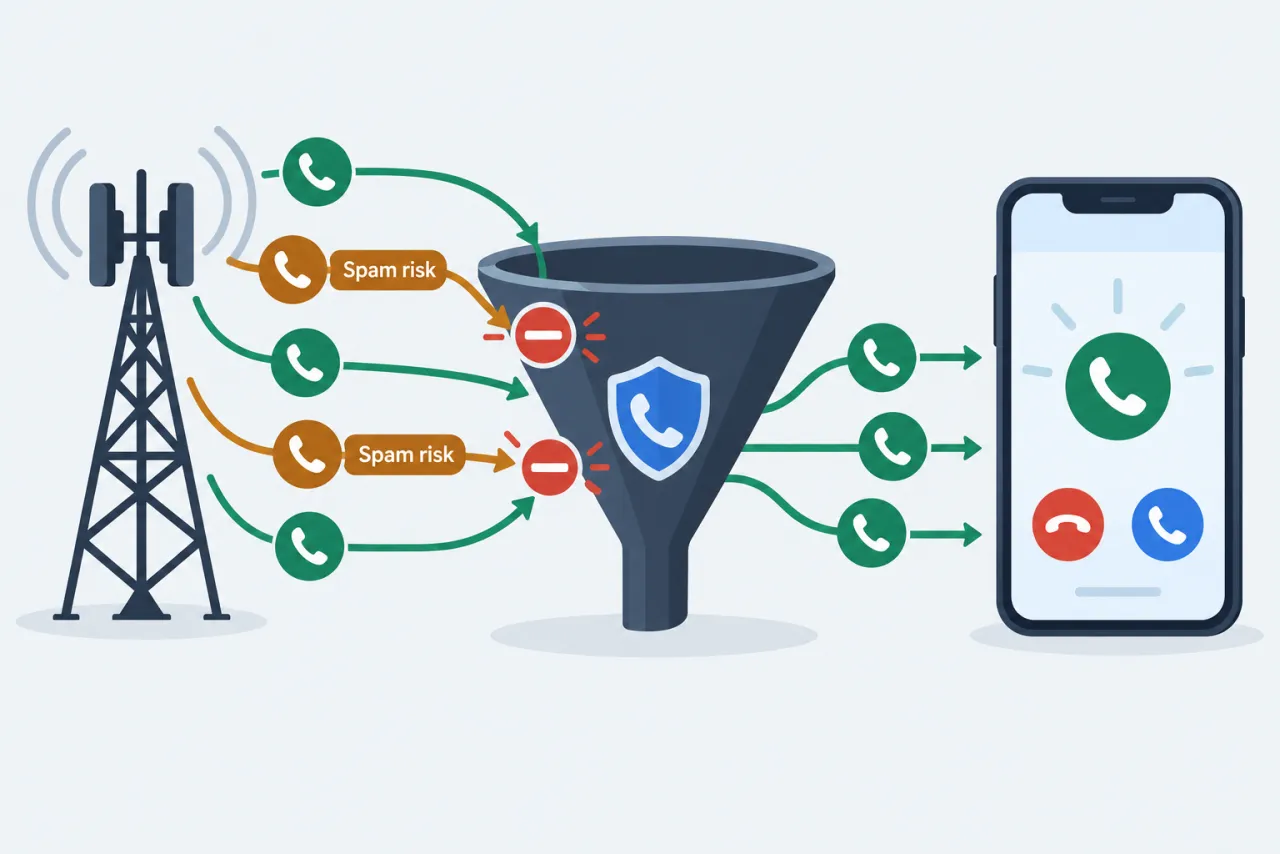
The three national US carriers each run a free network service that labels or blocks likely spam, plus a paid tier with extra tools. This is where the 'Scam Likely' tag comes from, and where call authentication (STIR/SHAKEN) fits in. It helps a lot, but no carrier can stop every spam call, so it works best layered with your phone's own settings.
Compare the carrier servicesWe don't run a lookup service and never ask for your number, contacts, or account details.
- Defense, not lookup
- This guide is about blocking and labeling spam you receive, not identifying private people.
- Independent
- We are not affiliated with any carrier; check the carrier's own page for current plans.
- Honest limits
- Labeling reduces spam and never promises to eliminate it, per the FTC.
What each carrier service offers
Free network protection plus a paid upgrade; features and prices vary by plan and change over time.
Scroll the table sideways on a small screen.
| Option | Free spam or scam labeling | Auto-blocks highest-risk calls | How you turn it on | Paid upgrade with extras |
|---|---|---|---|---|
| T-Mobile / Metro — Scam Shield |
Supported
Flags likely scams as 'Scam Likely' on your screen. |
Conditions apply
Only after you turn on Scam Block, e.g. by dialing #662#. |
Supported
Labeling runs by default; dial #662# to add the stronger Scam Block option. |
Supported
A premium tier adds enhanced caller ID; price changes, so check t-mobile.com. |
| Verizon — Call Filter |
Supported
Spam detection and alerts on eligible plans and devices. |
Supported
Sends high-risk spam to voicemail on eligible plans. |
Supported
Often on automatically for eligible plans and devices; manage it in the Call Filter app or My Verizon. |
Supported
Call Filter Plus adds caller ID, a spam-risk meter and block-by-category; check verizon.com. |
| AT&T — ActiveArmor |
Supported
Suspected-spam labeling on AT&T wireless and prepaid. |
Supported
Automatic fraud-call blocking on the network. |
Supported
The free service runs on the network; manage it in the ActiveArmor app. |
Supported
An advanced tier adds identity and monitoring extras; check att.com. |
| Your phone's own spam filter (iPhone / Android) |
Conditions apply
Uses your carrier's spam verdict or the phone's own spam check: flagged calls are silenced and moved to a Spam list. |
Conditions apply
Silences or filters flagged calls once you turn the filter on. |
Supported
Set up in your phone's call settings; see our iPhone and Android guides. |
Not available
The built-in phone filters are free. |
| MVNO / prepaid brands |
Conditions apply
Some resellers ride the host network's labeling; many offer a subset or none. |
Conditions apply
Only if the host network passes its blocking through; many prepaid brands offer none. |
Not available
Often no carrier setting to enable; rely on your phone's built-in labeling. |
Not available
A paid spam tier is frequently unavailable on prepaid brands. |
Note: Carrier features, tier names and prices vary by plan and region and change over time; always confirm on the carrier's own page. Labeling and blocking reduce spam but do not eliminate it.
checked September 2026
What carrier blocking really promises
Each of these is true and useful, and each has a limit worth knowing up front.
-
It labels many likely spam and scam calls before you answer.
The limit: Shady calls still come through with a warning; a label is not a block.
-
On some carriers, or once you turn it on, the free tier auto-blocks or diverts the highest-risk calls.
The limit: Spoofers rotate numbers, so some new spam always slips past.
-
It works best layered with your phone's own block and silence settings.
The limit: No single tool stops every spam call; combine carrier, phone and reporting.
-
Call authentication (STIR/SHAKEN) lets carriers check that the caller ID was not altered in transit on IP networks.
The limit: It does not cover every network, and a verified mark means the number checked out, not that the caller is honest.
Note: No carrier, app or guide can promise to block all spam forever, and we never claim to identify who is calling.
Questions people ask
Does my carrier's spam blocking cost anything?
The three national US carriers each offer a free network service that labels and, for the riskiest calls, blocks or diverts spam. They also sell a paid tier with extras like enhanced caller ID and a spam-risk meter. Prices and tier names change, so confirm on t-mobile.com, verizon.com or att.com. Prepaid and reseller brands may offer only a subset.
What is a 'Scam Likely' call?
'Scam Likely' is T-Mobile's label for calls its network flags as probable scams. It is a warning on your screen, not an automatic block, so the call can still ring unless you turn on Scam Block by dialing #662# or using the Scam Shield app. Other carriers use their own labels.
If a call shows 'Verified', is it safe to answer?
Not necessarily. A verified or checkmark tag comes from STIR/SHAKEN authentication, which checks that the caller ID number was not altered in transit on IP networks; it does not cover every network and says nothing about whether the caller is honest. Treat urgency, secrecy or requests for gift cards, wires or codes as scam signs no matter what the label says. How spoofing still gets through: What Is Caller ID Spoofing? A Plain Explanation.
Will carrier blocking stop every spam call?
No. Labeling and blocking reduce spam, but scammers rotate spoofed numbers and new ones get through, and the FTC is clear that these tools cut down calls rather than end them. Layer your carrier service with your phone's own settings and report the worst calls.
Can my carrier tell me who is behind a spam number?
No, and neither can we. Carrier services and this guide are about labeling, blocking and reporting calls you received, not unmasking a private person from a number. If a call is threatening, keep records and contact local police; for illegal calls, report to the FTC at reportfraud.ftc.gov or the FCC.