
Step-by-step guide
Spam Text Messages: Identify, Block and Report Them
Short answer
Scam texts pose as your bank, a delivery service or a prize to get you to tap a link or share information. You don't need to reply or investigate. Block the sender, then report and delete the message; this page shows how on iPhone and Android.
Show me how to report and blockWe never ask for your number or your messages. Everything happens in your own messaging app.
- Official channels only
- 7726, your messaging app's report option, and the FTC and FCC complaint sites.
- Your phone's own tools
- Every step uses built-in Messages on iPhone or Google Messages on Android.
- Independent guide
- CallerCheck isn't affiliated with Apple, Google or any carrier; menus change between versions.
What a scam text claims versus what real companies do
Most scam texts follow a handful of scripts, and each one breaks a rule real companies keep.
-
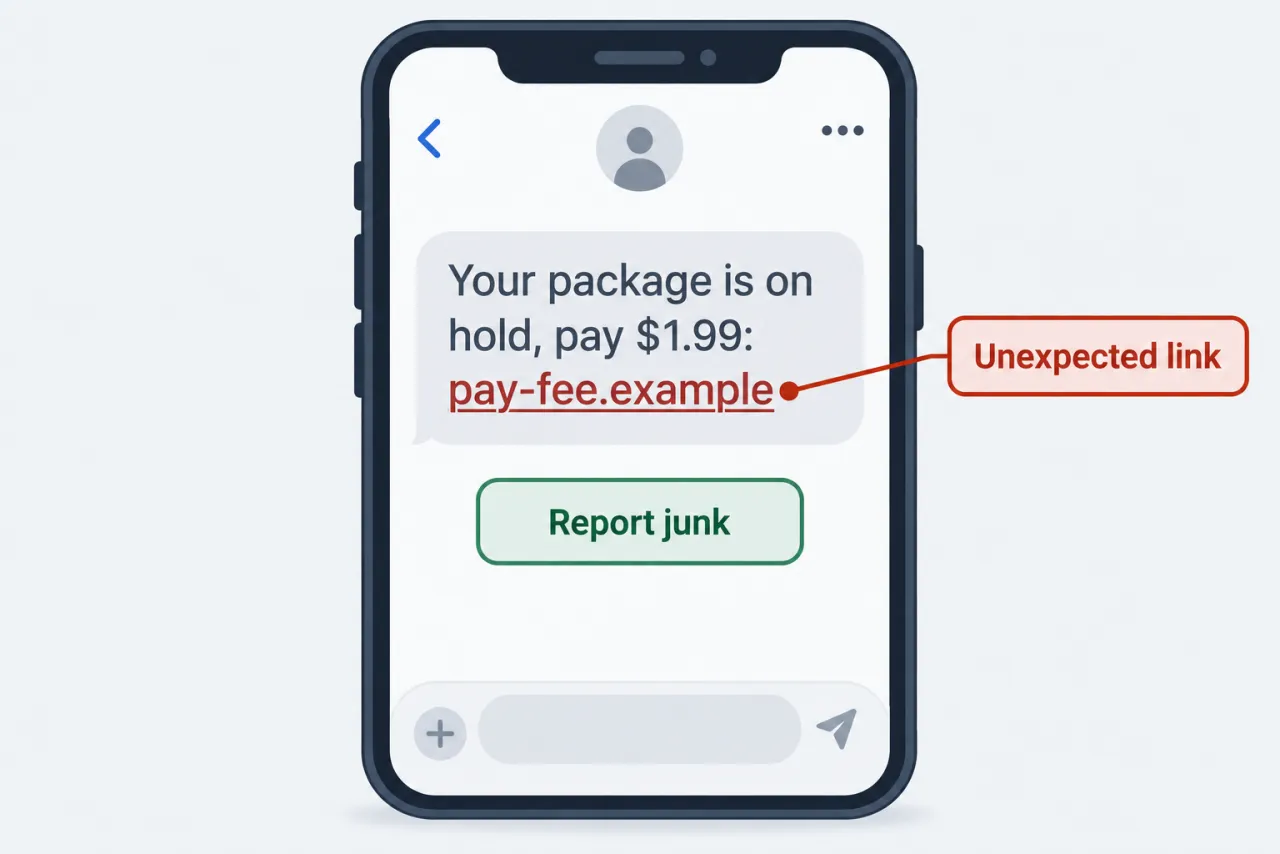
“Your package is on hold; pay a small redelivery fee at this link”
Why it’s fake: The FTC warns that delivery companies don't text you asking for fees or personal details through a link.
-
“Suspicious activity on your bank account; verify your details now”
Why it’s fake: Check your bank's own app or the number on your card; if the alert isn't there, the text is the problem.
-
“You have an unpaid toll balance and a late fee is coming”
Why it’s fake: Unpaid-toll texts are a known FTC-flagged scam; check your balance on the toll agency's own site.
-
“You won a prize or gift card; claim it before it expires”
Why it’s fake: An unexpected prize plus a deadline plus a link is a classic lure to collect your information.
-
“Hi, is this Sam? Sorry, wrong number”
Why it’s fake: The FTC notes these friendly openers start a conversation that later turns into a money pitch.
-
“An unexpected text from a stranger telling you to reply STOP to unsubscribe”
Why it’s fake: You never joined this list; any reply confirms your number is live and can bring more spam.
What the real organization does
- Real senders' texts can be reported and blocked the same way, so the routine never depends on guessing who sent it.
- Businesses you signed up with honor STOP; a text from a stranger doesn't need any reply at all.
- A real company's notice is still in its official app or account, so deleting the text loses nothing.
Report, block and delete a spam text in five steps
Don't reply first, because on iPhone you can't report a message after you've replied to it.
Menu names vary by OS version, phone maker and carrier; Samsung Messages and other apps use their own wording. Most major US carriers accept forwarding to 7726 and it's normally free, but check with yours. If you don't see Report Junk on an iPhone text, forward it to 7726 and block the sender instead.
-
Don't tap or reply
Leave the link and the reply box alone; reading the text itself is safe.
-
Forward it to 7726
Forward the message to 7726 (SPAM) so your carrier can spot similar texts.
-
Block the sender
iPhone: tap the sender, then Info, then Block this Caller. Google Messages: touch and hold, then Block.
-
Report it, then delete
iPhone: Report Junk, then Delete and Report Junk. Android: tick Report spam when blocking.
-
Filter future unknowns
iPhone: Settings, Messages, Filter Unknown Senders. Android: keep spam protection on in Messages settings.
Also report it to the FTC →
Where spam texts get stuck, and what works instead
Some instincts feel useful but don't help against scam texts; here is the better route for each.
-
Blocking one number, then a new one sends the same scam
Scam senders rotate numbers and addresses, so a single block only stops one.
Instead: Filter unknown senders and keep forwarding each one to 7726.
-
Reporting junk and expecting the sender to stop
Apple notes reporting junk alone doesn't block the sender.
Instead: Block the number as a separate step, then report it.
-
Trying to report a text you already answered
Apple says you can't report a message after replying to it.
Instead: Forward it to 7726, block the number, and report at ReportFraud.ftc.gov.
-
Adding your number to the Do Not Call Registry to stop scam texts
The registry covers sales calls and marketing texts from legitimate sellers, but scammers already break the law and ignore it.
Instead: Rely on 7726, in-app reporting and your phone's spam filters.
-
Looking up who sent the text so you can confront them
A number doesn't reveal a private sender's identity, and senders often fake it.
Instead: Report to the FTC or FCC; contact local police if a text threatens you.
-
Tapping the link to see whether it's real
The link is the trap; it can lead to a fake login page or unwanted downloads.
Instead: Go to the company's real app or site yourself and check your account there.
Questions people ask
Is it safe to open or delete a spam text?
Reading and deleting a spam text is generally safe; the risk comes from tapping its link, downloading something, or replying. Forward it to 7726, block the sender, then report it as junk, which on iPhone also deletes it.
Where do blocked or filtered texts go?
On iPhone, turning on Filter Unknown Senders sorts messages from people not in your contacts into a separate Unknown Senders list. In Google Messages, chats you report or block move to the Spam & blocked folder, so they stay out of your main inbox.
What does forwarding a text to 7726 actually do?
It sends the message to your wireless provider, which the FCC says uses these reports to tune its spam filters and blocking tools. It won't stop that sender on your phone by itself, so block the number too.
I blocked a number by mistake. How do I undo it?
In Google Messages, tap your profile photo or More options, open Spam & blocked, pick the contact and tap Unblock. On iPhone, look for the blocked contacts list in Settings, usually under Messages or Phone, and remove the number there; menu names vary by iOS version.
Does forwarding a spam text to 7726 cost anything?
It's normally free on major US carriers; check with yours. Forwarding doesn't reply to the scammer, it only sends a copy of the message to your wireless provider.
Official sources
Rules and phone settings change. Check the current page before you act.
- reportfraud.ftc.gov — reportfraud.ftc.gov