
Scam breakdown
Is This Text a Scam? How to Tell Fast
Short answer
A scam text usually arrives out of the blue, asks you to pay, verify or update something, and pushes you to act now through a link. You don't need to know who sent it to decide. Check the message against a few tells, then go to the company through its own app or website, never through the text.
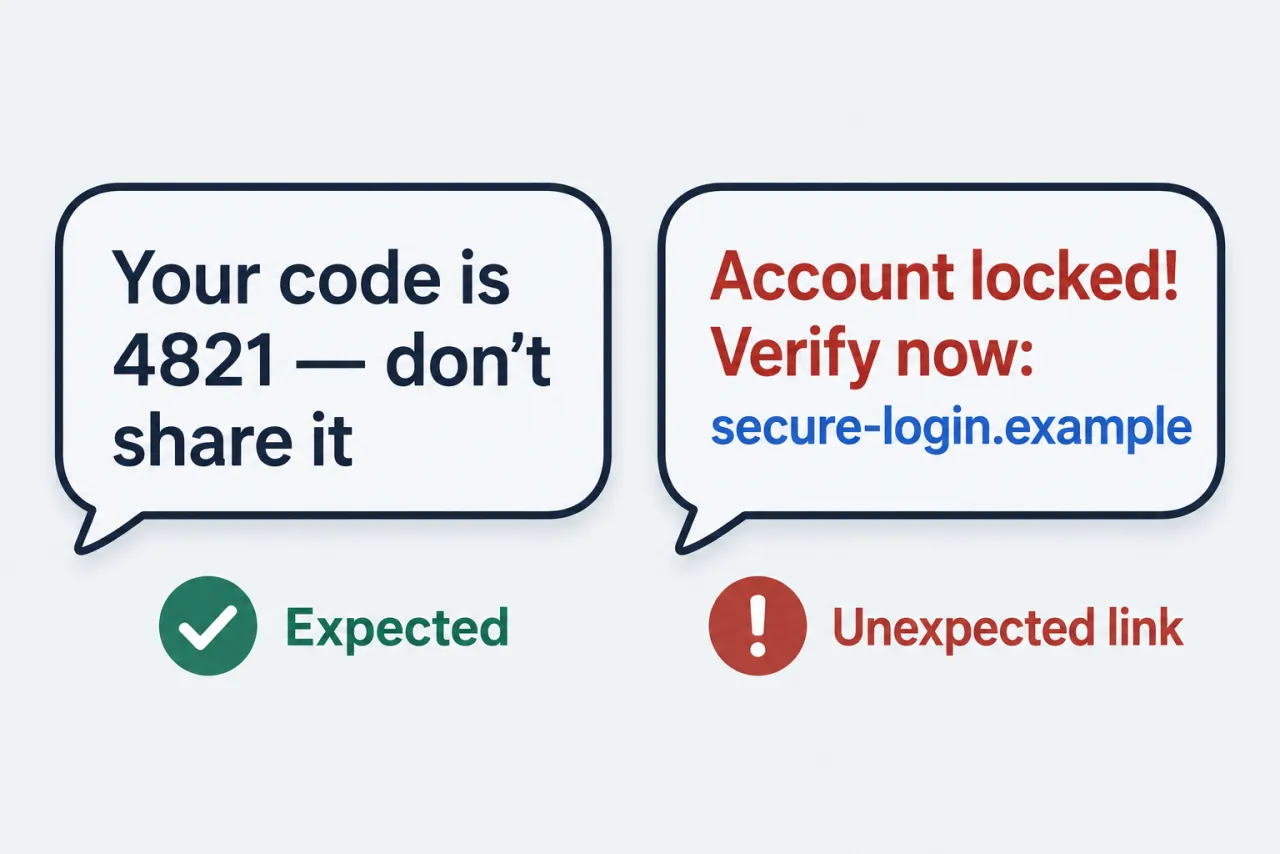
Compare a real text with a scam oneWe don't run a lookup service and never ask you to paste a message, number or personal details.
- Defense, not lookup
- This page helps you judge a text you received, not identify the person behind it.
- Based on FTC guidance
- The tells here follow the FTC's published advice on spam and scam texts.
- Independent
- We are not affiliated with any carrier, phone maker, bank or delivery company.
Tap the Link or Check at the Source?
Two ways to answer a worrying text, and why only one of them is safe.
| Criterion | Check with the company directly | Trust the text and use its link |
|---|---|---|
| Where you go | The company's own app, a website you type in yourself, or a bookmark you already use. | Whatever address the text supplies, which can be a look-alike page built to copy the real one. |
| Who you call | The number on your card, statement, bill or the company's official site. | The number in the message, which may connect you straight to the scammer. |
| A package or toll problem | Open the retailer or account you actually ordered from and look up tracking there, or check with your state toll agency. | A 'redelivery fee' or 'unpaid toll' form that asks for card details on a page you've never used. |
| What it confirms | Whether there is a real issue on your account, from a source you know is genuine. | Only that your number is live and that you respond to urgent messages. |
| If the text was real | You still see the alert or order in the official app, so nothing is lost by going there. | You gain nothing that the official route wouldn't have shown you. |
Whether the text is real or fake, the safe move is the same: leave the message and go to the company through a channel you already trust.
Five Tells to Check in the Message Itself
Check the text you received; any one of these is a reason to slow down, and a request to pay or verify is enough on its own.
| Sign | What to check: | Where to look |
|---|---|---|
| You weren't expecting it | A delivery you didn't order, a refund you didn't request, a job you didn't apply for, or a friendly 'wrong number' opener. | Compare with your own recent orders, accounts and conversations before replying. |
| Pressure to act now | Words like 'final notice', 'account suspended', 'within 24 hours' or a threat of fees or penalties. | Read the message body; urgency is the lever, so slow down on purpose. |
| A link doing the work | A shortened address, odd spelling of a brand name, or a domain that doesn't match the company's real site. | Don't tap it; you can judge the address just by reading it in the message. |
| A request to pay or verify | Asks for card details, a small fee, gift cards, or to confirm personal or account information. | Legitimate companies don't ask for account information by text, according to the FTC. |
| A sender that doesn't fit | A random long number, an email address instead of a phone number, or a 'bank' texting from a personal-looking number. | Check the sender line at the top of the conversation; on iPhone, unknown senders can be filtered into their own list. |
Note: These checks apply to texts sent to your own phone. A number alone does not reveal a private sender's identity, and this page does not try to find, track or unmask anyone.
Questions people ask
I got a verification code I didn't ask for. Is that a scam?
A code you requested yourself is normal. A code you didn't request is a warning sign. Never share it, forward it or reply to the message. Check the account through the company's own app or website instead.
The text says it's from my bank. How do I check without the link?
Open your bank's own app, or call the number printed on your card or statement. If there is a real problem, it will show up there. Don't use any phone number or link from the message itself, even if the text looks exactly like the bank's usual alerts.
The text knows my name or a real order. Does that make it genuine?
No. Personal details and the sender line can be faked or guessed. Check the order in the retailer's own app or website, not through the link in the text.
What if a real company sends me a link?
You still lose nothing by skipping it. Open the company's app or type its address yourself, and the same notice will be there.
What does a real business text usually look like?
It usually relates to something you did, such as an order, an appointment or a delivery you're expecting. It doesn't ask for your account details or payment through a link, doesn't threaten you, and the same information is visible when you log in through the company's own app or site.